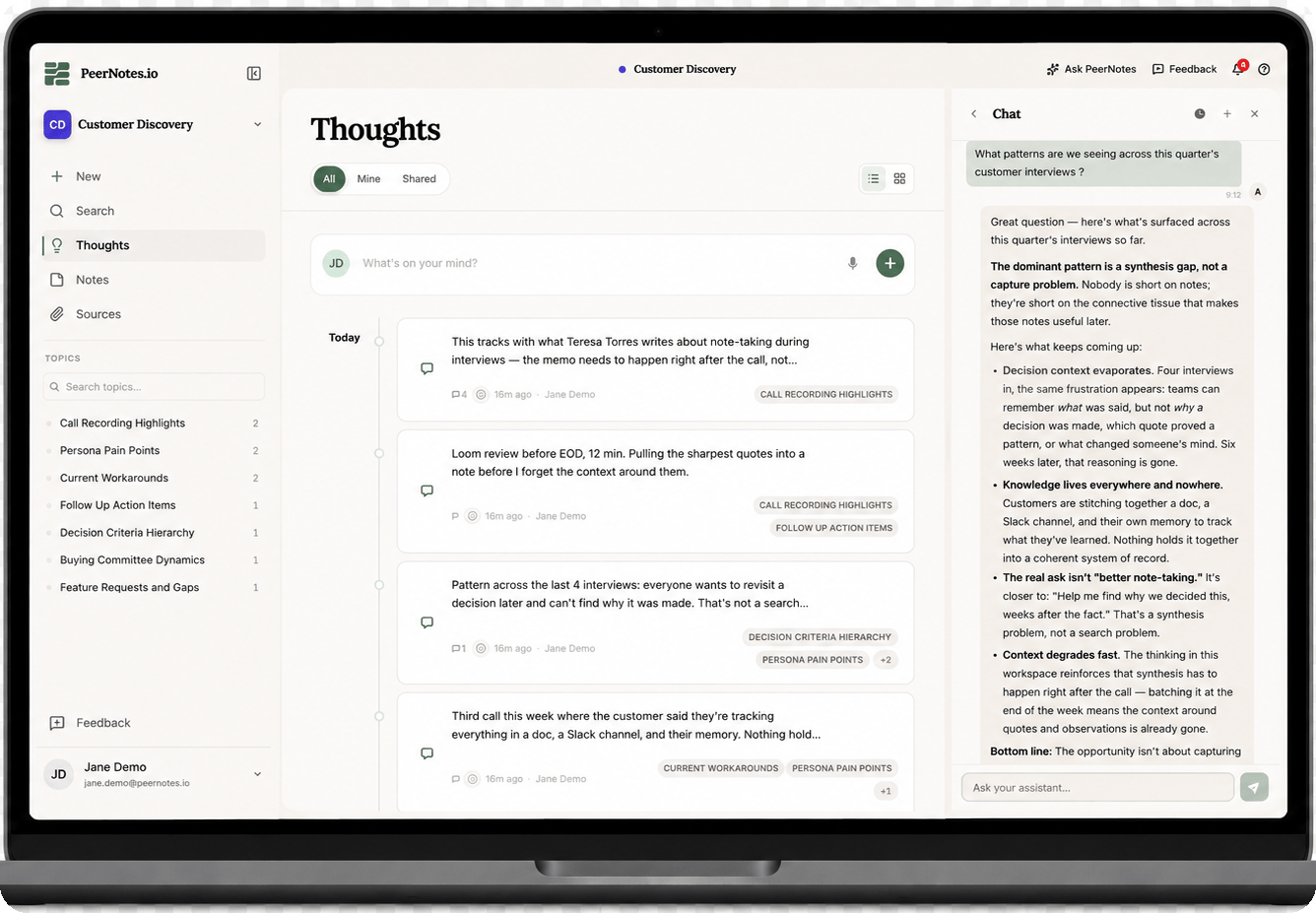
The PeerNotes workspace — a team's Thoughts feed alongside the Peer Agent, synthesizing patterns across customer interviews
Research preview, open to teams. PeerNotes is free while in preview — no card required. Get started or see every way to reach your workspace.
How PeerNotes works
1
Capture it
Clip a page, dictate a thought, or jot a quick note. Everything lands in your workspace, ready to build on.
2
Develop it together
Teammates and the Peer Agent weigh in right alongside your notes, sharpening the idea together.
3
Share it clearly
Turn on Share with workspace so everyone’s on the same page. Read to catch up, or listen on the go.
What you can do with PeerNotes
Web clipper
Save any page or quote into your workspace, source attached.
Dictate a thought
Talk it out — PeerNotes transcribes it into the capture box.
Listen
Have any note or source read aloud while you’re away from the screen.
AI editor
Proofread, rewrite, or draft a note with AI — every change reversible.
Chat
Ask the Peer Agent about anything in your workspace.
Claude plugin
Use PeerNotes from Claude Code and Cowork.
Scheduled syncs
Import meeting transcripts, GitHub summaries, and documents automatically.
Other AI agents
Connect Codex, Copilot, Cursor, or any MCP client to your workspace.
Slack
Mention PeerNotes in Slack and get answers from your workspace.
Search
Jump to any thought, note, or source with ⌘K.
Comments & mentions
Discuss any shared item inline, and @mention teammates or the agent.
Sharing & privacy
Everything starts private; share per item with one toggle.
Collaborators
Invite specific people to edit a note with you in real time.
Topics
The agent clusters your thinking into themes automatically.
Workspace settings
Name, topics, members and roles, Peer Agent permissions.
Preferences
Persona, AI, appearance, voice, sharing defaults, notifications.
Core concepts
A workspace is the shared home; inside it, thinking flows through layers, each with its own page:Workspaces
The shared home for a team — its people, content, topics, and Peer Agent.
Sources
What you read — PDFs, documents, images, videos, and clipped web pages.
Thoughts
Your reactions, captured in seconds. Private by default.
Notes
Thoughts compiled into structured thinking — developed with peers and AI.
Topics
The themes running through the workspace, discovered automatically.
Peer Agent
An AI teammate you chat with or tag in a comment — grounded in the workspace.
Get help
Stuck? Check FAQ & Troubleshooting. For bugs, feature requests, the roadmap, and release notes, go to feedback.peernotes.io.